Xtream Codes Login on Lion TV: Complete Setup Guide
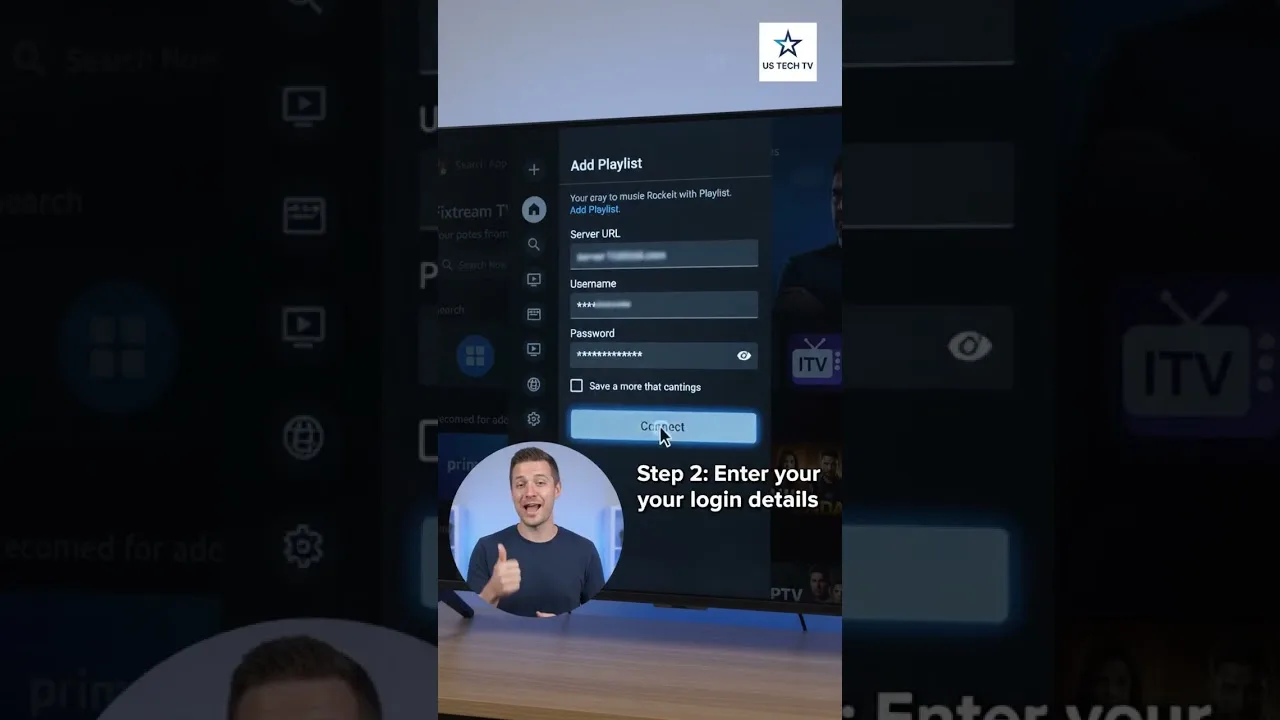
Many IPTV providers deliver their service through an Xtream Codes login instead of a playlist file: three pieces of information — a server URL, a username, and a password — that the player exchanges for your channels, films, series, and programme guide in one step. Setting it up in Lion TV player is quick, and understanding what each field means prevents nearly every login error users report.
This guide explains the three fields, the order to enter them, and the checks to run when a login that should work refuses to connect.
The Three Pieces of Information
The server URL (sometimes called the host or portal URL) is the address of your provider's server, typically looking like a web address possibly followed by a port number. The username and password are the credentials your provider issued for the service — not your email login for their website, unless they explicitly say so.
All three are case-sensitive and unforgiving of stray spaces, which mobile keyboards love to add at the end of pasted text. Copy each field directly from your provider's message where possible, and check for trailing spaces before confirming.
Entering the Login in Lion TV
Choose the Xtream Codes login option where Lion TV offers playlist types, name the connection after your provider, and enter the server URL, username, and password in their fields. Confirm and allow the player time to authenticate and pull down your content — a large account can take a minute to organise on first login.
Success looks like structure: live categories, a movies section, a series section, and EPG data attached to channels. If some sections populate and others do not, the login worked and the gap lies elsewhere — usually a slow first sync that a reopen fixes.
Common Login Errors and Fixes
'Invalid credentials' with details you are sure are right usually means a mistyped field — most often the server URL missing its port, or a password with an autocorrected character. Re-enter all three from the original source text rather than editing what is on screen.
Connection failures that name the server rather than your details point at the provider: maintenance, a changed server address, or an expired account. Providers move servers occasionally and notify by email or panel message, so check for a newer URL before repeated attempts. Our not working guide covers the wider fault tree when the problem proves larger than the login.
Xtream Codes vs M3U: Which Should You Use?
If your provider offers both, Xtream Codes is usually the better experience in a player like Lion TV: series organise by season automatically, the EPG binds to channels without a separate source, and account changes propagate without reissuing links. M3U remains the universal fallback that every player accepts.
Some users keep both configured — Xtream for daily use, the M3U as a spare route if one method has a bad day. Adding both is covered by the organisation habits in our playlist management guide.
Final Thoughts
Three exact fields, pasted carefully, with a minute's patience for the first sync: that is the whole Xtream Codes discipline. Get the login right once and Lion TV keeps your entire service — channels, films, series, and guide — one tap away on every device you sign in on.